Think Like a Business Owner FIRST, a Blogger Second (You’ll Make More Money!)

Get to WorkThe internet is hammered with ‘make money online’ articles, podcasts and videos on a daily basis and only a very few of those that claim to be making ‘real’ money online, are actually doing it – the rest are all-out lying.

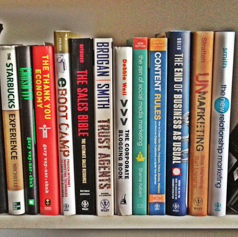

I’m a blogger.

But, I’m a business owner first.

And no matter how successful I (hopefully) become online, and no matter how much money I make online, I will always be a businessman first, a blogger second. Why? Because it’ll help me make more money – plain and simple.

If you’re trying to make a living online, don’t get me wrong – this post isn’t about beating you up, or to try and deter you from achieving your goals. No. In fact, this post is about giving you a wake-up call, of sorts, and hopefully helping you realize that having the ‘professional blogger’ mindset won’t enable you to make a lot of money.

READ POST

101 Tasks to Outsource to Virtual Staff to Grow Your Business!

101-TASKS-DELEGATE-VIRTUAL-STAFF

One of the biggest misconceptions of working with virtual staff is that one employee can do everything for you. I call this the ‘Super VA Myth’, and I’ve busted it over and over again! It’s just not possible. Not in the real world, and not in the virtual world.

In order to effectively use virtual assistants to grow your business, you need to hire for the role, not the task. Something that I say all the time.

That means building a team. A team that will work together to achieve what you’re aiming for as a business owner.

It’s with this in mind that I decided to put together this list of tasks that you can outsource to virtual staff to grow your business more effectively. You’ll see that I’ve broken it down into the following roles:

  1. General Virtual Assistant (GVA)
  2. Audio / Video Editor
  3. Content Writer
  4. SEO / Web Marketer
  5. Graphic / Web Designer
  6. Web Developer

READ POST

Going Virtual: How to Work with a Virtual Assistant to Market Your Blog

How to Work with a Virtual Assistant to Market Your BlogLast week launched the start of this 10-part series that I’m producing, that will show you exactly how to work with virtual assistants, when it comes to starting, marketing and growing a business in todays ‘new’ economy.

The first post explored how to work with a virtual assistant to manage your blog – it seems it struck a chord with a lot of people, and so today I’m excited to follow-up, by taking it a step further – by showing you how a VA can help you market your blog.

If you thought managing a blog on a regular basis was a lot of work, just wait til you get a load of this marketing stuff!

READ POST

Going Virtual: How to Work with a Virtual Assistant to Manage Your Blog

virtual-assistant-blog-managementThis is the first in an on-going series of in-depth posts I will be publishing to show you exactly how to work with a virtual assistant on a number of different tasks that new-age entrepreneurs have to handle on a day-to-day basis, when it comes to starting, managing, marketing and growing their business online.

Today we start with a look at how to work with a virtual assistant to manage your blog.

When I first started blogging, I had no idea of the power it would unleash when it comes to marketing my businesses, and bringing on board new customers. It’s a soft-sell approach to educating, inspiring and entertaining readers and prospects that, in todays business landscape converts better than any form of advertising I try out.

In this guide we’ll cover exactly how your VA will handle the technical aspects of blog management, before moving onto the content side of things. We’ll wrap everything up with a video tutorial that will show you, step-by-step, how your VA will get your blog posts ready to go live.

Everything here are the exact same processes that my personal VA’s follow when it comes to managing my blogs. I’m gonna be laying it all out there for you, step-by-step.

READ POST

4 Ways to Work with Virtual Assistants to Build Your Online Personal Brand

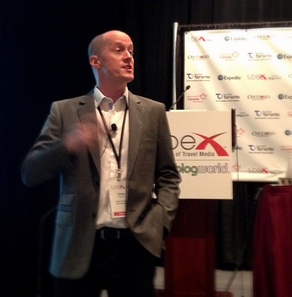
chris-ducker-tbex-speakerA couple of days ago I presented at TBEX, the worlds largest Travel Blogging Conference, in Toronto, on the subject of working with virtual assistants to make the transition from ‘blogger to business owner’ as easy and productive as possible.

One of the talking points was the importance of building a personal brand.

Building a personal brand online with the help of a virtual assistant is a start way to add value to your online presence. In fact, it’s needed into today’s business landscape, more than ever in the history of business and entrepreneurship.

A ‘personal brand’ is synonymous with your reputation, and refers to the way other people see you. Ask yourself what you want people to say about you when you’re not around – the answer is directly related to your personal brand.

It takes time to build up a reputation and become a trusted authority, or expert in your field – which is necessary when building any type of successful brand. However, there are certainly a few simple first steps to building a personable image, creating rapport and gaining trust as an online entrepreneur that you can have virtual staff handle for you.

READ POST

By Demand: Private USA Mastermind Sessions Coming this July! (Limited Seats)

usa-flagAt the beginning of May, I ran the 1st and 2nd Chris Ducker Dot Com Mastermind Sessions in London, comprising of 20 people in total, which sold out in less than 48-hours.

For many of those that attended, it was their first mastermind ever.

Being in an exclusive setting with other likeminded entrepreneurs to discuss business for an entire day was memorable enough, but once you add-on the time spent enjoying drinks together afterwards, the experience turned into something completely different.

Friendships were formed. Alliances were created. Joint ventures entered into and even businesses have been started-up. Here are some of the actions that London attendees have taken in the last few weeks, post Mastermind:

READ POST

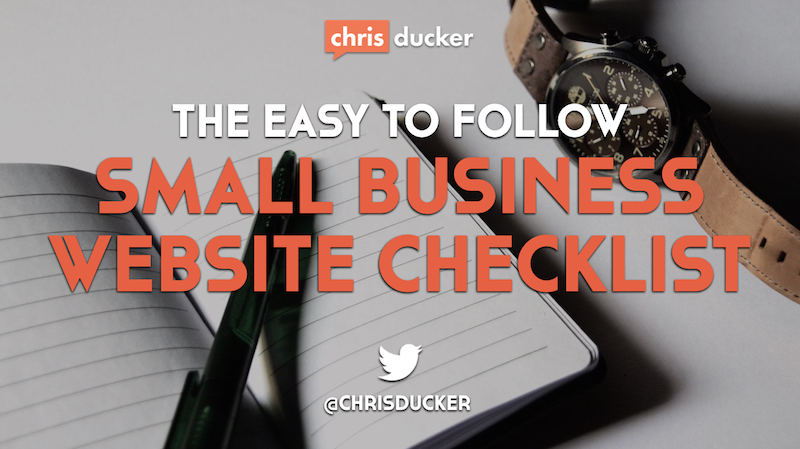
The Easy-to-Follow, 9-Step ‘Small Business’ Website Checklist

website checklist

Having a bad looking website, or having a site that doesn’t convey the message businesses should be truly wanting to preach to their prospective tribes, or customers is still something I see happening daily. It’s a shocker!

The New Business Manifesto clearly states, for example, that we now have to be content creators, rather than just marketers. So, it’s important to get the balance between marketing, selling and engaging, right.

All this leads to the following 9 main elements, which makes up the following website checklist, that I believe are imperative for every website to have, in order to become successful and sharable in today’s very social online landscape.

1. Great Looking Header & Logo

Great looking doesn’t mean using ‘flash’ technology, with all the bells and whistles from 2006! It means that your header is simple, clean, effective and above all – memorable. Be sure to utilize your logo properly, and make it the center-piece of your overall header image. Branding is more important today (especially online) than it has been for a long, long time. Note: If you’re building a personal brand, have the focus of your header be on your name – like I do.

In this example from TheMarketingAgents.com we see that the owner, Rich Brooks has utilized great graphical elements to be remembered and talked about. I first heard about this site when Chris Brogan mentioned it on Facebook, than met Rich at NMX in January this year – hes as colorful in person, as his website is (watch out for an interview with Rich coming up soon on the podcast!).

marketing agents header

2. Simple Navigation

Anyone landing on your site shouldn’t have to ‘look’ for the navigation area of your site. Use a simple menu below your header to allow people to bounce from one important area of your site, to another. Be sure to not include any more links than is absolutely necessary. I try to limit all the menu’s on my business sites to no more than five links, to allow people to really ‘click’ and not ‘think’ too much.

thin traffic navbar

In the example above, from the Think Traffic site, you see very clearly that the focus is on being very clear on what each of those links provide. I love the simplistic approach that this brings to not only the design of the site, but also, as a visitor, the way I use it.

3. Opt-In Offer

vsf-opt inIf you’re doing business online in any way, shape, or form, then you need to create an opt-in offer to make sure that people have a way of giving you their email address. As I mention in Day #6 of the New Business Bootcamp (my free opt-in course!) eBook’s are a simple opt-in offer than are easily created and marketed nowadays. Situate your opt-in offer in an easy-to-locate area of your site, so no matter what page people land on, they have the ability to find it.

You’ll see in the example to the right, pulled from my Virtual Staff Finder business site, we give away an eBook, which is 11-pages in length, and does the job brilliantly with an average opt-in rate of around 20 a day. See how the cover of the book ‘pops’ out of the blue border? Just a little effect to catch peoples attention. The absolute perfect place to put something like this is at the top of your sidebar, which leads me onto the next item on our checklist…

4. Sidebar with ‘Sticky’ Content

As you will see from surfing around this site, the information that is in the sidebar on my site is always there (except for a couple of ‘conversion focused’ pages, which we’ll go into in a moment). Regardless of what page visitors land on, or what page they navigate to the information in my sidebar is always there. Always static. For my site this includes my opt-in form, a quick ‘about’ blurb for those visitors that may by visiting for the first time, links to my most popular content and an advert to one of my services. Finally, I finish up with a plugin for my Facebook Community, which is growing steadily into an entrepreneurial resource all on its own.

5. Conversion Focused Pages

These are pages that are set-up with one main reason in mind, and no other. To simply convert.

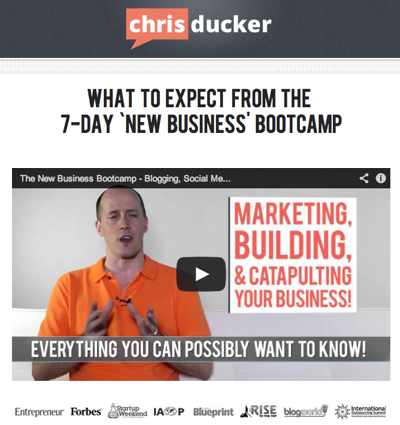
Examples on this site include the ‘New Business Bootcamp‘ info page (see below for a quick screenshot), and my ‘About‘ page. If you click on these links (wait until you finish reading first, okay!), you’ll see that the pages load up in a slightly different format to the rest of the site. These pages are a lot more ‘plain’ looking. They have a more simpler looking header with no links, and the sidebar is complete missing, along with the footer.

bootcamp opt-in

The reason behind this is because these pages are there to convert people to my mailing list – nothing else. And they work!

Another perfect example of this ‘conversion focused’ page could be a landing page for a webinar offer, or a product sign-up page, such as this one from Darren Rowse over at Digital Photography School – where he is selling his iPhone photography eBook.

6. Video

Video is massive. It’s bigger and badder online than it EVER has been. The ability to show your real personality is never any easier than it is in video. This is the exact reason why every good small business website should contain at LEAST one video in a prominent location – perhaps the ‘About’ page, maybe the ‘Homepage’ – but, please start using video.

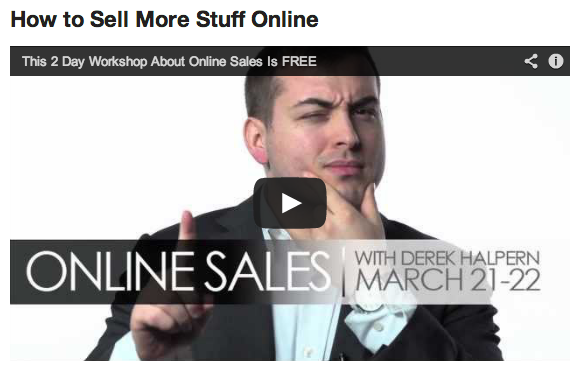
social-triggers-derek

In the example above you’ll see that my buddy, Derek Halpern from Social Triggers shows his true personality (anyone that knows Derek will KNOW this is him!), at the same time as promoting an event – and ultimately making money. Just be yourself, offer value and be a little entertaining, and you’ll be off to the races with video.

7. Blog Section

This’ll probably not come as too much of a shock, but I’m a big fan of blogs and blogging for business. The simple fact that it’s the easiest and quickest way to build reputation, authority and personality in what you do as an entrepreneur and business owner is all you really need to know, to force yourself to get started. And that’s exactly what you need to do – if you’re not blogging already that is. Having a blog on your small business website is an absolute must in today’s market place. Make it happen, and enjoy the benefits of creating original, inspiring and helpful content for your customers, and prospective customers.

8. Social Media Integration

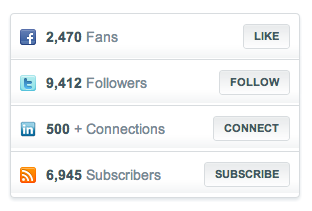
sales-lion-social-linksAlong with blogging, and utilizing video, social media has revolutionized the way that we communicate with our customers. It allows us to be ‘on the pulse’ of our industry, the products and services that our customers crave for – and most importantly, it allows us to be able to communicate with with our customers in a quick, easy, relevant and memorable manner.

Simply putting your social media links on your site somewhere (usually the header, sidebar, or footer (like me!)) is sometimes enough – but, there are several ways to stand out online, and you’ll see in the example above, how my friend Marcus Sheridan has decided to get his website visitors excited about connecting with them hime via Facebook, Twitter and LinkedIn – as well as how easy he makes it, too!

9. Contact Information

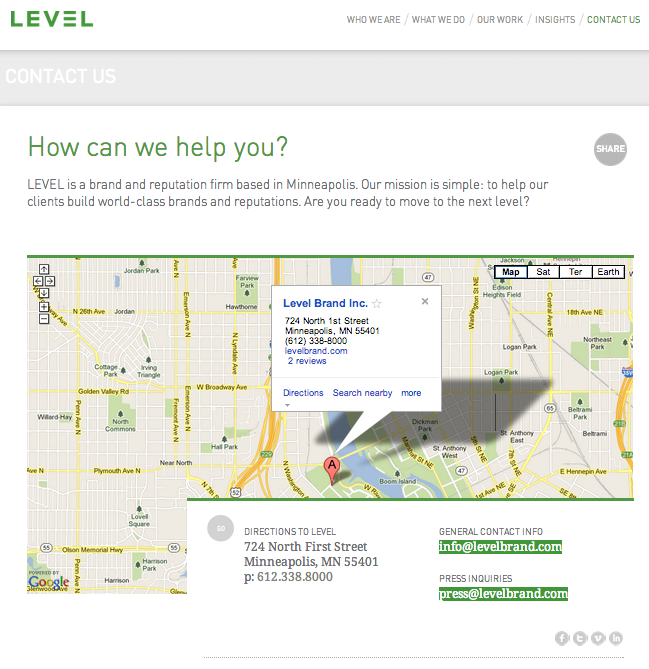
One of the easiest ways to build credibility on your website is to include an address, telephone number and any other information needed for people to get in touch with you and your business. By making a point of focusing on this info, you’re sending a message to your visitors that you’re real and ready to hear from them. If you’re a local business, be sure to include a map on your contact page, too – doing this means that people will be able to find you easily, if they are wanting to come and actually visit you at your place of business – just as LevelBrand (a reputation management company in the USA) has done – example below.

level-brandcontact-us

The great thing about your contact page is that you control the way people will get in touch with you. If you want to minimize email, for example, simply don’t include your email address or a contact form – instead, highlight a telephone number, or social media platform that you manage daily.

Need Advice? Want to Pimp Your Website?

Have you recently put together your own small business website? Has this website checklist helped?

Tweet me… and let me know!

Join Me and Pat Flynn for Our 1-Day “Business Breakthrough” Event in July!

chris & patAs some of you may know I’ll be in the States for the entire month of July, firstly for Chris Guillebeau’s ‘World Domination Summit’, and then later on in the month for my speaking slot at the National Speakers Association’s Annual Convention in Philadelphia.
This is actually going to be the longest period I’ve spent in the US for the last 6-years, so I wanted to make the most out of it. Whilst thinking of things to do with my time while I’m there, the first thing that popped into my head was my buddy, Pat Flynn.

Myself and Pat met initially online, in early 2010. We then got to hang out in person for the first time in November of that year at BlogWorld Expo – and an instant friendship was formed.

Since then we’ve become closer, both as friends, but also as one another’s sounding board for anything related to business, marketing, parenting, and pretty much anything else! There isn’t a week that goes by where we don’t hop onto Skype together at least a couple of times!

We’ve often said how much fun it would be to do ‘something’ together, but have waited for the right something to come along.

READ POST

3 Content Marketing Tips That are So Easy to Follow, that They Actually WORK!

content-marketing-tipsGetting involved with content marketing is one of the easiest ways to create a tribe of fans and followers online, which in turn helps you market your products and services, as well as help potential customers and clients by answering questions, providing support, etc.

I’ve already touched base on the subject on a couple of episodes of the New Business Podcast, with guests C.C. Chapman and Jay Baer. I’m also in the process of putting together a complete guide to working with virtual assistants to help you with the research, creation, publishing and marketing of content online – watch this space!

In today’s video I give you a few tips that have worked really well for me. I mean, this simplistic approach to content marketing REALLY DOES WORK. Check it out below, and please feel free to share it with your buddies if you like it!

READ POST

Why Co-Working Spaces are Invaluable for the ‘New-Age’ Entrepreneur

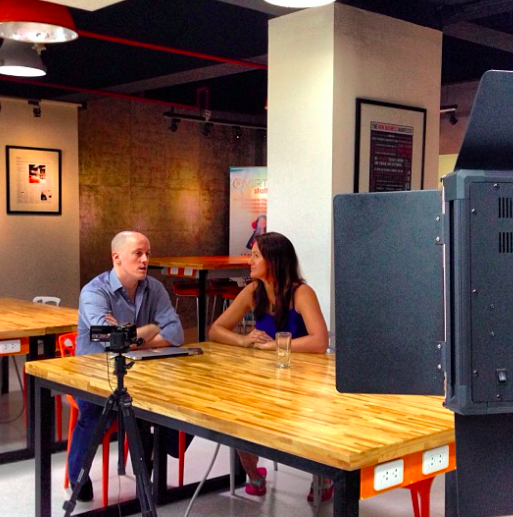
natalie-coworking-chatAt the beginning of the year I launched a new business – the first ever co-working space here in Cebu City, Philippines, called Location63.

It’s been a remarkable experience, as I’ve seen the resident head count grow steadily since opening our doors. However, one of the best things about the business so far is the people that have dropped in to work there. Everyone from permanent virtual assistants and freelancers, to traveling entrepreneurs and full-blown digital nomads.

It’s been great meeting them all. One of the people that I’ve connected with the most, however, is a true-blue Suitcase Entrepreneur, Natalie Sisson – who I’m introducing you to today.

READ POST