
ChrisDucker.com

Helping Entrepreneurs Go The Distance In Business… And Life!

  • About
  • Mastermind
  • Speaking
  • Books
  • Blog
  • Resources
  • Youpreneur
  • About
  • Speaking
  • Coaching
  • Conference
  • Books
  • Blog
  • Tools
  • Contact

Get Busy: Top Tips For Choosing The Right Format For Your Web TV Show, or Podcast!

DAVID SITEMAN GARLAND - The Rise on Top

This post by David Siteman Garland, is part of ‘VBL Guest Post Season 2’.

When it comes to building a virtual business of your dreams there are of course many routes you can go and as you probably know it is definitely not a “one size fits all” model like The Snuggie.

In my bias opinion, one of the coolest, most challenging, potentially profitable and rewarding is to create your own web show/podcast. Heck, maybe even a network of ’em.

Quick background: I’ve been creating and hosting shows since 2006 (with zero experience, training or background in broadcasting/hosting/creating shows) and have experimented with all kinds of formats, business models, topics and more.

For example, the first show I ever did was actually on traditional radio in my glorious hometown of St. Louis, Missouri called “Get Inline: Your Source For Professional Inline Hockey In St. Louis” (how about that for a freakin’ niche?) and now most people know me from my web show/podcast The Rise To The Top: The #1 Show For Mediapreneurs which has (coming up on) 250 episodes and over 300 interviews with mediapreneurs, entrepreneurs, show hosts, bloggers and other awesome people. And, because I’m possibly insane, I’ve got two more shows in the works with one focusing on health and fitness and the other on professional wrestling (seriously).

Now, there are a lot of components to creating and running a successful show including creative aspects, business model and monetizing, marketing and promoting, logistics, technology, etc. Similar to a puzzle, they all go together and missing a piece might lead to a bit of a disaster. Nobody wants a disaster, right? But perhaps one of the biggest and often overlooked questions that is SO important is choosing the correct show format that works for you, your goals and your personality.

Of course formats can change over time (nothing is set in stone in this world), but getting off the right formatting foot can be the difference of spring-boarding vs falling in the mud and swimming. Here are a few to consider, an example or two for each one and some pros and cons:

Interview Show:

What it is:

An interview show is just like it sounds. You bring on a guest or guests and you interview them.

Examples: My show The Rise To The Top , Mixergy 

This is awesome because…

-Having a conversation is often easier many people as opposed to writing out an entire scripted show.

-If the show is great, there is a BIG chance the guest(s) will help market and promote the show to their audience.

-A great way to meet to new people and expand your network of relationships (when you interview someone it is sort of like a first date and you might end up friends for life…or lovers if you are into that sort of thing.

Challenges:

-Interviewing *looks* easier than it is. Similar to all creative arts, it takes lot of practice to develop a unique style.

-Logistics can be tricky as you have to become a master scheduler (or highly recommended…hand it to virtual assistant).

-Guest selection and being able to interact with different types of personalities, egos, etc. can be challenging.

Pundit/News Show:

What it is:

Normally based on a specific topic such as politics, sports, technology etc., a pundit/news show reviews headlines and news in a specific industry or around a specific topic and also, often times, the hosts offer their opinions, commentary, agreements, disagreements, etc. Topics can be wide ranging to a show about a specific TV show to a show about the St. Louis Cardinals baseball team.

Examples: TWIT (This Week In Technology), all the shows on the This Week In Network.

This is awesome because…

-There is normally plenty of content to talk about if you pick something that has consistent news i.e. sports, politics, technology, etc.

-Nothing is cooler than talking about a subject you love and you don’t have to be a complete “expert” to do a show like this. You do need to be knowledgeable, willing to learn and passionate about the subject matter but expertise will happen over time (unlike the “expert” show listed below).

-Is a nice opportunity to bring in a co-host or do a show with a friend.

Challenges:

-Keeping things fresh and sticking out from the pack. That is up to you, your creativity and personality.

-Staying consistent. If it sounds super easy to put together a show each week (or more than once a week), it isn’t. But don’t let that deter you. Realize you will get the hang of it with practice.

-If you go the co-host route, finding someone that you have great chemistry with and is reliable as you.

Q&A/Tips & Tricks/”Expert Show”

What it is:

Think about all those advice shows out there. Essentially you are the expert and you are giving advice on something specific. Examples might include relationships, finance, taking care of dogs, who knows. There are zillions of possibilities. There are many formats that work here ranging from classic “call in” shows to answering questions submitted via social media, etc.

Examples: The Podcast Answer Man , The Tech Guy

This is awesome because…

-If you are an expert in a subject matter people really need advice on, there may not be a better option.

-Q&A format allows for ENDLESS content assuming you can keep getting/finding great questions to answer.

-If you know your stuff inside and out…answering the questions and putting the show together will be like child’s play.

Challenges:

-Receiving great questions to answer when you are just starting out. You might have to “ask yourself” a few questions just to get the ball rolling.

-If you DON’T know the topic inside and out…it will show.

-Live callers/chats can present their own unique challenges (i.e. difficult people, angry people, etc.) which of course you can learn to handle.

Review Show:

What it is:

Essentially a review show is just as it sounds. You pick something and review it, discuss it, etc. Classic examples are movie review shows, but of course this can be everything from video equipment to stamps.

Examples: Wine Library TV , Freezer Burns

This is awesome because…

-You can’t really be wrong. As long as you have a strong opinion, you are in good shape.

-As long as you pick something replicable, content is easy to come by.

-Companies mind end up sending you free stuff to review. Who doesn’t love free stuff?

Challenges:

-Careful not to run out of content. If there are only 50 things to review, then you are done after 50 shows. Make sure to pick something ongoing.

-Up to you, like all formats, to make sure it doesn’t get stale.

-Must be super consistent and have a real passion for offering opinions.

What’s next?

See anything that gets you fired up? Do you point at any of the above formats and say YES! THAT IS FOR ME! If so, you might have just taken the first step in your virtual media empire.

Get started.

Do something amazing.

Do it now.

David Siteman Garland is an avid WWE wrestling fan, husband to the best wife in the world, son of two cool parents and the creator/host of Internet-based TV show, blog and resource The Rise to the Top which features conversations with web show hosts / bloggers / podcasters / other mediapreneurs, tips, tricks, advice, inspiration, resources and much more!


Top 10 ‘No BS’ Tips to Creating & Launching Your First Virtual Business! (Part 2)

I recently published the first part of this two-part series, and was pleasantly surprised with the feedback, emails, comments and social interaction that it got. Thanks to everyone who commented or tweeted, shared, etc, etc.

In the first post we went over the initial set-up of getting ready to create and launch your first virtual business. We discussed simple, but highly required things like setting up a blog to find your own voice; the importance of building a personal brand so people can relate to you easier; engaging your growing community or tribe, as I like to call it, to make them feel welcome and appreciated, as well as asking your audience what they genuinely want to hear about from you.

I wrapped the first post up mentioning the importance of getting to work on your product / service offering sooner rather than later, with the view of tweaking it, if need be. So, today, we’ll pick up from this point and start focusing on the actual LAUNCH of that virtual business!

Let’s get going…

6. Get Your Marketing Plan Finalized

Relax. Breathe! Some people shiver at the thought of having to put something like this together. It comes easier to some, than others, I appreciate that. But, it MUST be done, people. Your marketing plan will differ from business to business. So, for the sake of this post we will zoom in on the idea of launching either an eBook, or a video course. Here’s a simple run down of a marketing plan you could follow in the weeks leading up to your launch:

  • Create a post on your blog talking about a subject related to your product (engage with audience on comments).
  • Offer, produce and record a free webinar on the subject surrounding your product (then provide a link to your list of the recording, so they can download and devour it all over again, and catch up, in case they missed it live).
  • Create another post where you follow up on the feedback you got from your webinar (engage more!).
  • Produce a video trailer for your product. These are all the rage right now, I love ’em. Check out this one from Jonathan Fields for his book ‘Uncertainty’ – easily one of the best I’ve seen.
  • Post a free chapter from your eBook, or a selection of clips from your video course to give people a taste of whats ‘inside’.
  • Launch!

See! Didn’t hurt too much, did it…!? 🙂

7. Put a Launch ‘Check List’ in Place

There is going to be a lot involved in launching your first virtual, or online business. Regardless of how great your eBook or video course is (remember, these are just examples, peeps!), there is some stuff ‘under the hood’ you’ll need to focus on, too, if you want the launch to be a successful one.

  • Get your shopping cart and payment processor sorted out (examples are e-Junkie, Digital App Delivery and Paypal).
  • Create the sales copy you will need on your landing page to be able to ‘sell’ your customers on why they should put their hands in their virtual pockets (or paypal accounts!) and part with their hard earned cash!
  • Design your landing page, or mini-site (this is where you’ll make your sales!) and test the ‘buy now’ links.
  • Be sure that follow-up emails are sent to customers with instructions on how to either download, or gain access to areas of your site that might be password protected to hide your product from the online ‘general public’.

These are just a few things. Again, based on your business model, product or service, these could change or you might have to add a few more in there, too!

8. It’s all about Customer Service

Everyone wants to be made a fuss out of, right? This is especially true when you are giving money to someone. Regardless of how much they want, or need your product or service… Your customers still deserve the absolute best customer service experience from you.

Think about it – there are lots of online products that they can purchase – but, they’re buying yours! Respect that. Embrace it. It’s the responsibility or every virtual entrepreneur to take care of their customers properly, not only so that they remain happy and content, but also to make sure that they sing from the rafters about how fantastic you AND your eBook or video course is. In the world of the social web, this couldn’t be any more important than it is right now!

9. The Launch

This is it, baby! You’ve worked hard to get to this position. You’ve created your blog, embraced your tribe, maybe even become good friends with some of them like I have here at the VBL. You’ve worked your ass off to create a killer eBook or video course, and stuck your blood, sweat and tears into the sales page to make sure it converts as much as possible.

Breathe. Hit the ‘publish’ button on that launch post, email your list, tweet and share links on your social networks and then… Sit back and relax.

10. Manage Real Time Marketing

You can’t relax for long, sorry!!!

Your launch day is THE day on your products calendar. You only get one chance to make a first impression. Social media plays a huge part in any product launch online nowadays. The importance of ‘being there’ is just as huge as your fantastic product or service itself. In fact, the importance of real time marketing has become such a big issue that David Meerman Scott recently brought a book on the subject!

Monitoring Twitter, Facebook and Google+ for people talking about your launch and product is massively important. Get involved and as always, embrace your tribe (regardless of what they are saying!), helping them, inspiring them and motivating them to buy what you are now offering. But, remember… Just because they don’t buy today, doesn’t mean that they won’t buy tomorrow. Or next week. Or next month. So, be nice! 🙂

Conclusion

So, that wraps up this two-part post series. If you’re in the process of launching, or thinking of launching a virtual business, online product, etc., then I hope the content here helped you out a little bit, and perhaps even acted as a bit of a guiding light, so to speak.

The fact of the matter is, however, as long as you create something that a) people need, and b) is of massively high value, then you should be alright. Remember, there is only one YOU. This means your experiences and your opinions count to the people who have decided to follow you online. That personal branding is starting to pay off, isn’t it…!

I told you so… 🙂

Have you recently launched an online product for the first time? How did it go? Any lessons learned? Any tips to share? Please be kind and comment for the rest of the VBL Tribe below…

Why? Because you guys ROCK!

Answering the Tribe: A Day in the Life of a Virtual CEO (My Not-So-Usual Daily Routine!)

Day in the Life of a Virtual CEO!The image above I took just yesterday whilst hanging out at the beach with my family. Note: I was not working. In fact, I never work from the beach!


I’ve had a bunch of requests recently from people wanting to know how I get so much done every day / week / month, especially online and in the creation of all my content, additional resources and the running and developing of my businesses. Some VBL Tribe members have even asked what my daily routine is, too.

So, to answer these questions I thought I’d put a few things down in a post and then open the forum to questions and comments, on perhaps anything I’ve not answered, or left out, or anything that people want more info on. Here we go!

My Daily Routine

There is no major ‘secret’ here. I try and get as much of the ‘daily work’ done as possible, in as little time as possible, so I can focus on my other projects and actually working on growing my existing businesses, and building new ones.

The one thing I should mention here is that my daily routine does change quite a bit, its the freedom factor that I have, that I enjoy, and because of that, its always flip-flopping. That’s the way I like it. And, although there is no ‘real’ pattern to my day, my ‘routine’ will normally go something like this:

10am – Breakfast & ‘Urgent’ Email. Because the majority of the business I do is with US-based clients, by the time I wake up in the morning here in the Philippines, its the evening of the day before over there. So, I check ‘urgent’ email whilst enjoying breakfast (usually a bowl of cereal or a protein shake of some variety – in case you wanted to know!), and reply to anything I feel requires an immediate response.

11am – Playtime. I’ll play with my youngest for around an hour or so, or until I pass out!!!

12noon – Task time. I will go through everything I want my VA’s (I have two), and my marketing staff to do throughout the day, sending a few emails and probably a couple of quick Skype calls, too.

1pm – Exercise. I regigiously shoot 30mins of hoops each day and do around 15mins of swimming. Once or twice a week, I’ll also do some light weights. It’s how I keep my sexy body in check (BHAM! Sorry, I just fell off my chair in merriment!) 🙂

2pm – School Time & Lunch. Either myself, or my wife will drop the little one to playgroup, then have lunch.

2pm – Creative Work & Lunch. On the days I am not dropping off the ‘trouble maker’, as I like to call him, I will drive to one of a number of local coffee shops and work for a bit. This time is reserved for my ‘creative stuff’, it’ll be either writing a blog post, putting together podcast ideas, or perhaps focusing on other things such as travel plans , or family stuff.

4pm – Family Time. I do nothing, but play with my kid, hang with my wife, watch TV, go shopping, whatever…

6pm – General Email. This is the time where I will get stuck into clearing out my Inbox. If it takes an hour, great. If it takes two hours (very RARE), then, not-so-great, but still, its achieved.

7pm / 8pm – Staff Meetings / Catch-Up Time. This is where I will meet with my staff, either in the office, or via Skype and go over any projects that we might be working on. If, for whatever reason, this meeting doesn’t take place, I use it for catching up on my favourite blogs, reading a book with a cup of coffee, or generally mooching around online.

9pm – Management Meetings / Consultations. I meet with my COO and other management personnel twice a week to go over operational stuff, as well as any business development work we are putting together. On the days where this meeting doesn’t take place I spend time doing consultation calls with Virtual Staff Finder clients, or with entrepreneurs that have hired me for other consultation services.

10pm and Beyond – Client Calls / Biz Dev Work. Again, the majority of my clients are Stateside, so this time is geared towards speaking with them, when needed. Although my staff do an amazing job of allowing me to be as hands-off as possible, when it comes to the day-to-day operations of my businesses, it doesn’t mean I neglect my clients. If they need me, I am always, ALWAYS available. I also do a certain amount of business development work around this time, too.

Other Times – Putting together podcast episodes, arranging webinars, being interviewed, working on business growth strategies, shooting video posts, handling other local projects, spending time with other members of my team,

It’s NOT The 4-Hour Work Week!

As you can see, I certainly DO work more than 4 hours a week, thats for sure! And, although I rarely ‘work’ on Fridays anymore, I will still check in and spend the time I need to, on my businesses and other business related interests, if and when its needed.

The thing about Tim’s great book was that he was showing you that you didn’t have to do it all; that you could travel more, and enjoy great vacation time; that it was possible to spend more time with family and to be able to make a little money whilst you sleep. He was showing us all of this, plus a lot more.

However, here’s the big thing… How many hours of that daily routine do I class as ‘work’. To be honest… NONE. I’m serious. I love what I do so much that I enjoy every single minute of it. Sometimes the days are a little longer than others. Sometimes I need that additional problem to solve as much as a bullet in the head. And sometimes, just sometimes I wish I really was on a beach with a cocktail in hand (some people actually believe I work from the beach regularly… sorry to burst the bubble, but the internet connection isn’t THAT good when hanging out under a palm tree!). 🙂

I’ve crafted my ideal virtual business lifestyle, and its right for me. This schedule might be totally ‘off’ for you. You might do things completely differently. And that’s what I’d now like to know.

If you’re already working for yourself, whats YOUR daily routine like? If you’d like to break-away from the 9-5 grind, what schedule are you dreaming of? Let us all know below in the comment section.

Top 10 ‘No BS’ Tips to Creating & Launching Your First Virtual Business! (Part 1)

Starting a Virtual Business - Part 1

I’m in the process of editing my first ever VBL-related product, and I have to say, its been a massive learning experience for me.

The fact is that I could have released this thing months ago. But, I have changed things around, procrastinated a certain amount, and quite frankly, put it on the back-burner a lot because of other, more pressing business opportunities and commitments. However, I now have a goal in place to launch this sucker by the time I fly to LA to speak at BlogWorld at the beginning of November.

So, today I’d like follow on from last weeks fantastic discussion on this subject – and present the first part, in a two-part post series with my quick fire tips to getting a virtual business up and running, from scratch, possibly even, for the first time ever…

Lets start…

1. Start a Blog

If you haven’t already got a blog up and running, start one. People like to do business (and spend money) with people. Not businesses, or websites – as far as I’m concerned, anyway. Since starting this blog, my business empire has grown and grown, and even my core business, the Live2Sell Group has expanded – I’ve even had new clients come to me from this blog, who now have 10-15 full-time employees sitting under my company’s roof. Love it!

2. Build Your Brand

Get onto YouTube – now. Again, the personal branding side of doing business virtually, or online, comes into play again. Talking into your webcam is all you need to start off with. Keep your videos short and sweet, provide value, stay on target and include a call to action, such as ‘visit my blog for more free info’, for example.

3. Engage Your Tribe

As the weeks and months go by you’ll start to build a following. FACT – your following online doesnt have to be huge to make good money. I know some marketers online with lists as small as 800-1,000 subscribers who are making $5,000+ each month. Engage your tribe and make them feel welcome. Thank them for commenting on your posts and retweeting your links. Doing things proves you’re real, appreciative and most of all starts conversation – conversation leads to relationships. And relationships are EVERYTHING in business.

4. Ask Your Audience

Before you start putting ideas in place to create a product or service, ask your audience what they need help with. Solving a problem for someone is the oldest sales shooting-star in the book! People will pay good money for things that solve a problem, or make their life easier, or help acheive their dreams… You get where I’m coming from, right? Collating information from the people that follow you will enable you to create a product or service that will knock ’em off their feet and put their hand in their pocket!

5. Start Planning Your Offering

Whether you are anticipating putting together a product (either downloadable, or physical), or a service related offering, start planning sooner, rather than later. The worst case scenario is that you have to change a few things in the future, before launching. I have been planning my upcoming eCourse ‘Virtual Business for Virgins!’ for over a year. I have tweaked its message several times, but the overall ‘guts’ of the product have remained the same – show people how to create and launch a virtual business in 30 days or less!

Having a solid marketing plan in place is also extremely important when planning and launching a new business – whether it be virtual, or not. In the second part of this two-part series, I will go over how you should ‘think in the now’ when producing a solid marketing and launch plan, instead of copying what people were doing years ago – just because it worked for them.

Real time marketing is upon us, ladies and gents. Jump on board, or be left behind. Plain and simple.

Anyone got any comments, insights, feedback and ideas on these first five points? Please jot them down below so we can ALL benefit from them – plus, feel free to include ideas for the second part of this series, too!

UPDATE: Part Two of this series is now LIVE and available HERE! 

.

#NewBusiness Chit-Chat: If you started a Business tomorrow, what would it be?

start-openIn the last year I have started two virtual businesses. I’ve been heavily involved with both of them for a certain period of time, and then, once things seem to level out, and starting running on their own (and after I’ve hired people to run the businesses for me!), I step away, manage from a distance, and move on to the next project / start-up.

I love doing this…!

The First

The first was Virtual Staff Finder. This is a service that I started up purely to fill a gap that I saw in the outsourcing market, where my team of qualified sourcing experts match busy entrepreneurs with experienced, home-based virtual assistants here in the Philippines.

When I start it, I said I’d be happy with servicing 10 clients a month. We are currently serving an average of four times that amount, and it continues to become more and more popular!

The Second

This one has been in beta mode for around 4 months now. I am literally 4-6 weeks away from a full-blown launch of this new company, that I feel will revolutionize the way people outsource project-based work. I mean, its gonna be in a class of its own.

We’ve been testing our products and services with existing clients and a few newbies, and so far everyone has nothing but awesome things to say about the quality of the work, the speed at which its completed and the service in general.

More info on this soon, peeps.

What IS a Virtual Business?

This might differ from one person to another. However, my definition of a virtual business is that of a business entity that does not require YOU, as the owner of the business, to be present on a regular basis at any one location, in order for the business to function properly and ultimately make you money.

It doesn’t need to be ‘online’ (ie. an e-commerce store). It can even require office facilities. However, if as the head-honcho you have the freedom to come and go as you please, work from anywhere you want and fundamentally run the business at an arms length – THAT’S a virtual business.

Coming Soon: Virtual Business for Virgins!

I’m around a month or so away from finishing my first ‘real’ online product. I had actually wanted to get this out months ago, but, as you can tell from the first few paragraphs of this post – I’ve been busy building my virtual business empire!

This is going to be an eBook, Audio and Video content based product, and will talk you through how I’ve set-up my virtual businesses, and the steps you need to complete to be able to do it easily, and quickly (under 30 days, actually!) for yourself.

To help me finish things off and come up with a couple of hypothetical case studies to include, I’d like to ask you this question today, and engage in another one of our, always-popular, VBL Discussions.

If you were to start-up, or even just start PLANNING the start-up of a virtual business tomorrow, what would it be?

Over to you…

10 Quick Steps to Becoming a Virtual Entrepreneur!

To become successful as a virtual entrepreneur takes more than just building a few niche sites and relying on Adsense (although we do enjoy it, don’t we VBL Niche Site Project peeps!?). I’ve taken a huge journey over the last couple of years, becoming more and more virtual as time has passed. And I’ve loved every minute of it.

So, today I thought it would be a good idea to create a small selection of tips and tactics for everyone to follow, if they are not ‘quite there’ in regards to ‘going virtual’. And even if you are already classing yourself as a virtual entrepreneur, I’m pretty sure that there are a gems below that you can still put into place.

Enjoy.

#1 – Quit Your Job!

If you’re working a regular job and you’re on this blog, the chances are that you hate what you’re doing! Stop doing that!!! In this day and age everyone has something to offer the world. Cash in on your passion and start changing the world! Obviously, moving on from ‘cubicle nation’ might be easier for some than others. However, if you find yourself counting the hours and minutes to 5pm each day, the chances are it’ll happen sooner or later. Do it now, stick it to the man, and start something awesome!

#2 – Remove Yourself from ‘Biz Operations’ as Much as Possible

This one is more for those of you who might be running a ‘brick n mortar’ business already. Last year I did everything I could to go as virtual as possible. I achieved it. And the icing on the cake came this year, when I hired a COO to come in and run the show for me on a day-to-day basis. He does a great job, we connect several times a week via phone and face-to-face once a week for a proper catch-up. Having other people looking over your company might seem a little daunting at first, but the bottom line is that if you want to ‘go virtual’, its the only way you’e truly going to achieve that freedom.

#3 – Purchase a Light-Weight, Portable Laptop

Being virtual means being mobile! I used to carry around a huge Acer laptop. I liked it as I wasn’t traveling that much and used it as a ‘main’ computer. But the weight and size of it made being mobile a massive chore. I upgraded to a MacBook Pro a couple of years ago and felt liberated. However, this year I craved for even more lightweight freedom and purchased the 11″ MacBook Air – enough said. Combine that with my iPad and I am about as virtual as I wanna be!

#4 – Purchase a ‘Skype-In’ Number

This thing literally changed my life, when it comes to communication. Getting your hands on a Skype-In online number basically means that anyone can call that number (pick one from a massive list of countries to best suit your needs) and it will ring on your Skype account no matter where you are in the world. If you’re not signed into Skype at the time the call comes through, it’ll just go to your voicemail. It’s been truly invaluable to my virtual-ness.

#5 – Get Smart With Your Phone

I recently read a report somewhere online that said only 35% of people that own smart phones (Blackberry, iPhone, etc.) actually use them to make phone calls. Mind-boggling, isn’t it! But, if you think about it a little more – not so much. I’ve had my iPhone4 for well over a year now, and I love it. Before that I was a Blackberry user for years and years. Being able to check email, etc., on the run is essential to doing business virtually. Not only that, but the App’s available nowadays make owning a smartphone as a business owner an absolute necessity! They make everything easier, lets face it! And, there are some cool games, too.

#6 – Get Going with Dropbox

This one little piece of software has revolutionized the way I share files and work with my various virtual assistants and even my team in my company facility. It’s quick, reliable, has lots of storage space available, and is a breeze to use. Not only that, but Dropbox is one of those cool software app’s that allows you to sync it across multiple devices. I have my account hooked up to my iPhone4, iPad, MacBook Air and my iMac at home. Wicked! Get Dropbox now, seriously!

#7 – Take Your Inbox & Calendar to the Cloud

Whether you use Google’s suit of app’s, such as Gmail and GCal, or Apple’s ‘MobileMe’, or a combo of the two, like I do – taking your email and calendar (along with your contacts should you so desire) is probably one of the biggest jumps to make in going virtual, but also one of the most important. Not having your email and calendar handcuffed to just one computer is paramount in turning yourself into an all-living, all-breathing virtual entrepreneur!

#8 – Start Creating Passive Income Streams

This is as important as anything else on this list… Working hard to create passive income streams NOW, will benefit you (if you’ve done it properly) over and over again, with very little involvement in the future. Everything from niche sites and eBook’s, to membership sites and coaching programs. Like I said, we’ve all got something to offer the world. Just be sure that you create your passive income products with long-term in mind and avoid looking for a quick buck. It just doesn’t work that way anymore!

#9 – Hire a Virtual Assistant

Okay, so I’m a little biased when it comes to this one – for obvious reasons! However, having someone else (or a team of someone else’s!) help you run, support and grow your business is also very essential to enabling you to spread your entrepreneurial wings. I’ve spoken to thousands of people about working with virtual staff throughout my career and I can honestly say that it makes a lot more sense than most believe so, to begin with. Give it a go, and let me know how it all works out for you. I’m pretty sure you won’t be proving me wrong anytime soon!

#10 – ……………………..?

This is where I’d like the already-virtual VBLer’s out there to butt-in, and share their own pearls of wisdom when it comes to business on the move, setting up virtually and building virtual businesses in general. It doesn’t matter if you just have a quick resource to share, or a full-blown virtual business strategy! Most important thing is the share, my friends.

No topic is off limits, and please do feel free to post links below, too – just as long as they are relevant. I look forward to reading all your ‘injections’ to finish up the post!

When you’re done, I’d be very happy if you’d SHARE this post, below!

Are People Unsubscribing from Your Blog? Relax. It Happens To Me, Too – But, Why?

How to Avoid People Unsubscribing from your Blog

Last month exactly 125 people unsubscribed from my Aweber email list.

This shocked me quite a bit, I have to be honest. But, as a businessman, it’s intrigued me even more. You see, I’m a firm believer that we are not ‘perfect’ in any way, shape or form. We all have our flaws. But, I believe I’ve built a pretty solid blog here, and a decent online following, too. However, was the reason behind people unsubscribing down to my content, or something else..?

I’m forced to ask myself the following six questions, and more:

  • Does the pop-up I have on my site get me ‘real’ subscribers/fans, or just freebie-collectors?
  • Am I doing something ‘wrong’ on the blog?
  • Is my content not thought-provoking enough?
  • Am I not being ‘real’ enough?
  • Is my content not helpful enough?
  • Is my content not entertaining enough?

If You’re a Freebie Collector, We Don’t Need You!

I’ve been averaging around 15-20 opt-in’s a day (M-F) here at the VBL Blog. About 60% of those new sign-up’s come from the pop-up I have on my site. It’s a proven fact that these opt-in enticers work – but, are they REAL opt-in’s? I personally think that a lot of them are not. I’ve seen people come in and out of my email list within days, all too often.

Don’t get me wrong… I like the idea that someone wants to read my eBook enough to at least ‘subscribe’ for a brief moment and then unsubscribe, but in terms of REALLY subscribing to the VBL… Ah, that’s a different story, right!?!

See how I say ‘we dont need you’ in the sub-title text above. That’s because the VBL Blog has become a lot more than just a blog over the last 6-8 months. It’s now a hustling, bustling community of like-minded people that are all ‘in it to win it’. And, lets face it, fake numbers on a mailing list are simply not part of the long-term plan.

I want REAL subscribers. REAL people. And entrepreneurs with REAL passion subscribing to VBL.

I Need Answers – from YOU!

So, I intend to make a few changes here at VBL pretty soon. Some of them are inspired by my video grillin’ with Derek Halpern last week… Some from my own feelings, concepts and ideas. Firstly, I believe I will be getting rid of the pop-up. Secondly, I will probably stop sending out the ‘post update’ emails each time a new post is published, too. If people like what I have to offer that much, then they will pop over to the blog once or twice a week to catch up, anyway, right…?!

My question to you, of which I will treasure every single answer to, from everyone, is quite simply:

If you were the one in control of VBL, what would you change about it, and why…?

Thanks, so much, in advance, everyone.

Understanding Cultural Differences when Working with Filipino Virtual Assistants

When I was in the UK a few weeks ago, I published a post in regards to a new ‘How to Outsource…’ series I was going to be starting. I received so many great comments and emails when this went live – so, if you sent any suggestions in to me – thank you!

This basically came about because I get a lot of emails every week on the subject, and because replying to them all (which I always, always do!) was starting to suck a little more time out of my day as I was comfortable with. So, I decided to produce this new series of posts to enable me to build up a bit of an encyclopedia, so to speak, on the subject of outsourcing – this way, not only could I continue to answer everyones questions (especially in an in-depth way!), but also create some great content for the rest of the VBL readers and subscribers, too.

Today we kick-off with a video post on the subject of understanding cultural differences between westerners and filipinos, especially focusing on how to work with VA’s with these differences in mind. To make this a little more authentic (if thats the right word!), I asked my Virtual Staff Finder project manager, Stephanie, to join me in the video for two reasons.

Firstly, she’s a filipina (we use the term filipina when describing a female from the Philippines, not filipino), and secondly, because she knows an absolute ton about working with VA’s based here in the Philippines! 🙂

…

READ POST

Why Your Logo SUCKS and How to Fix It!

https://www.youtube.com/watch?v=vvum91pNZsE

While I was in San Francisco last April I didn’t get as much time as I normally do to shoot video for the blog. My schedule was simply very hectic… However, I did shoot this one clip on my iPhone4 (along with all the B-Roll footage that goes with it), on the importance of logo design and implementation for branding and business growth.

In the short video I discuss and show you:

  • Why its important to keep your logo clean, and not too busy looking.
  • The original design for my company logo, and why I made several changes to it.
  • How making the changes enabled us (my company) to be seen as a ‘bigger’ fish in the ever-growing world of the outsourcing industry.
  • The ideology behind the logo for my Virtual Staff Finder service.
  • Why so many big brands spend so much time focusing on their logos.
  • Much more…!

Smart Logo = Big Business!

To enable yourself to be seen as a serious business entity, you simply cannot underestimate the power of a strong logo design for your company, and even your personal brand.

I’ve spent hundreds of hours going over logo designs for everything from business cards to letterheads; websites to online products; retail packaging to TV presentations – and every one of them has been priceless in the search for the perfect logo design that ‘says it all’.

I’d love to know what your ideas and ‘rules’ are when it comes to designing logos and branding your businesses and products. Leave a comment below to help everyone out, and look incredibly sexy in the process – a bit like me, in the video! 🙂

How to Beat the **** Out of Your Inbox!


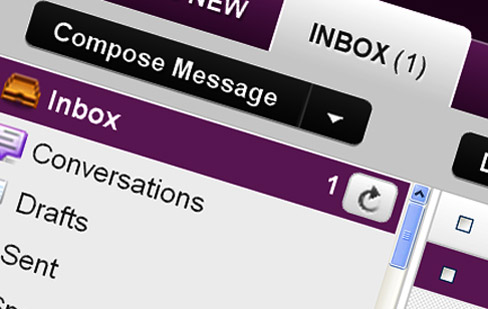
Email in Inbox

It’s probably the number one time-drain for entrepreneurs all around the world. Yet, email is about as required today as having a fax machine was in the late 80’s and early 90’s. When it comes to communication, your Inbox is where the party’s at, lets face it…

However, email – and particularly your Inbox, doesn’t have to be the pain in the ass that it is for a lot of busy business owners and 9-5 escapee-wannabe’s! It’s simply about putting systems and processes in place to make sure you don’t get sucked into email doom on a daily basis.

When I was in the process of becoming a Virtual CEO last year, I had a lot of mini-goals that I incorporated into my one-year long goal of escaping my desk on a daily basis. These mini-goals were basically monthly goals and sometimes I’d have to hit several within a one-month period to stay on track.

Rewind to January 2010

In that first month, I set out to remove myself from as many email commitments as possible. The main reason behind this decision was that if I truly wanted to become that Virtual CEO, I had a lot of work and planning ahead of me. I simply wasn’t going to be able to achieve everything I needed to, if I was stuck in front of Outlook all day!

So, I took myself out of as many ‘copy me in’ threads as possible. Everything from my HR team (except management issues), my IT team (except emergencies) and my Operations team (except for a couple of key clients). It worked. I went from spending 4 hours a day on email to around 1-2 hours, depending on the day (Monday is usually a little heavier than most for me).

Moving Email to the Cloud

Nowadays I’m cloud based, and handle all my email via the Gmail platform. This was another move I made last year, around April, which enabled me to become more mobile as a business owner. The ability to check, reply and ‘file’ email from any device I own, or any other computer for that matter, just became golden, and I never see myself going back to a one-device email set-up, such as Outlook, or Mail for the Mac.

But, this doesn’t necessarily mean that I am going to remain super-productive when it comes to battling my Inbox, does it? Of course not. So, I’ve had to put several guidelines and processes in place to make sure that happens.

My 6 Golden Email Rules

Now we get down to the focus of this post. The following guidelines; rules; processes, whatever you want to call them, are not, by any means final, nor irreplaceable, neither are they going to work for everyone out there. However, if you’re a new-age entrepreneur, traveling business owner or small online business boss, believe me – trying them out might just make your life a little easier – and productive.

One Click Rule

This is about as simple as it sounds. When an email lands in my Inbox, I open it and with one click do one of the following:

  • Reply
  • Delete
  • Archive

If you open the email and then go onto another email you’re only going to have to come back to the first one at some point. Why bother yourself? It takes time, it’s irritating and it simply doesn’t make sense to me.

Three Sentence Rule

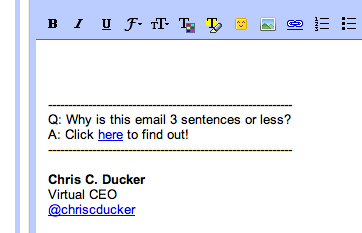
For any of you who might have corresponded with me via email, you would have seen the following email signature when I’ve replied to you (if not, feel free to email me):

The link takes you to a page where you can find out why I answer all of my emails using no more than three sentences. The simple reason behind this is that it enables me to answer my emails properly, yet in a polite and productive manner.

I’m more of a talker than a typer anyway, and so my rule is that if I can’t give a reasonable answer to a question, or a piece of info someone needs within three sentences, then I pick up the phone. The only exception to this rule is business proposals, if need be.

Eliminate Yourself from Email Threads

This will affect some people more than others. But, if you have a lot of people working for/with you within your company set-up, then the chances are that you can probably get your number of daily emails down quite considerably, just like I did, by removing yourself from certain email threads.

Start Using a Project Management System

Using something like Basecamp to work with people on a daily basis, whether they are within your company structure, or not, enables you to cut your Inbox load down even further.

It does mean, obviously, that you’ll be handling messages, updates, etc., from another platform, so you’ll have to balance out things and see whether it will work for you. Bottom line – try it. If it works, great. If not, nothing ventured, nothing gained…

Unsubscribe from Mailing Lists

We are all guilty of this. We see a shiny eBook that we want, or a video course we want to check out. They are free – but, you need to opt-in. This sticks you on someone’s mailing list, however, which means you will get email from him or her regularly (some more than others, obviously).

My rule on this was to remove myself from all of the mailing lists I was on, except for my five favorite bloggers. It was a simple process to undertake. I simply waited for an email to arrive, figured out whether I still wanted to receive messages from the owner of the list, or not, and hit the ‘unsubscribe’ link more often, than not.

Don’t Use Your Inbox as a To-Do List

A lot of people I know make this mistake. And I mean a LOT! This is mad. Think about it – if your Inbox is also your To-Do List, then, as a busy ‘idea a minute’ entrepreneur, you will never clear your Inbox. EVER.

Just the action of leaving the message in there, regardless of what color you flag it, or what nice label you give it, goes against you and your productivity levels. Get your ‘To-Do’ items out of your Inbox and put them somewhere else.

Some ideas of ways to manage your To-Do List could be as follows:

  • A notepad
  • An iPad (as I use now. App – ‘Things‘)
  • An iPhone (or other smart phone)
  • Post-It Notes (I used to use this)
  • Index cards
  • Excel Sheets

Starting Kicking the *** Out of your Inbox, Now!

As you can see, I attack my Inbox in a number of different ways. What matters the most here, more than anything else, is that it works for me. I mean, when you go from 4 hours a day stuck in an email-jam, to an average of an hour or so, that’s killer. That’s game-changing, for ANY entrepreneur.

What are you doing to cut down email and become more productive? Let me know in the comments, below. And… ReTweet’s of this particular post are really appreciated! Thanks.

  • PREVIOUS
  • 1
  • …
  • 21
  • 22
  • 23
  • 24
  • 25
  • …
  • 36
  • NEXT

Free Ebook

Personal Branding Roadmap

You’re just 10 steps away from your own powerful personal brand business!

DOWNLOAD FOR FREE NOW

Motivational Coach

Motivational

Coach

WORK WITH ME

Book Chris to Speak

BOOK CHRIS TO SPEAK

Visit Youpreneur

The Business of You!

YOUPRENEUR

VISIT YOUPRENEUR.COM

Footer Logo


Chris is a serial entrepreneur and highly regarded as THE authority on the subject of building a profitable personal brand business. 

MUST SEE

  • Round Table
  • Resources
  • Blog

ABOUT CHRIS

  • Chris’ Journey
  • Read Chris’ Books
  • Book Chris to Speak

YOUPRENEUR®

  • Youpreneur Podcast
  • Youpreneur Academy
  • Youpreneur Incubator

LEGAL INFO

  • Terms of Use
  • Privacy Policy
  • Contact

Social Menu

  • © Chris Ducker & 4C Media Limited
  • All Rights Reserved

Privacy Policy

Who are we?

Our website address is: https://chrisducker.com, a site owned and operated by Chris Ducker & 4C Media Limited.

What personal data we collect and why we collect it

Comments – When visitors leave comments on the site we collect the data shown in the comments form, and also the visitor’s IP address and browser user agent string to help spam detection. An anonymized string created from your email address (also called a hash) may be provided to the Gravatar service to see if you are using it. The Gravatar service privacy policy is available here: https://automattic.com/privacy/. After approval of your comment, your profile picture is visible to the public in the context of your comment.

Media – If you upload images to the website, you should avoid uploading images with embedded location data (EXIF GPS) included. Visitors to the website can download and extract any location data from images on the website.

Cookies

If you leave a comment on our site you may opt-in to saving your name, email address and website in cookies. These are for your convenience so that you do not have to fill in your details again when you leave another comment. These cookies will last for one year.

If you visit our login page, we will set a temporary cookie to determine if your browser accepts cookies. This cookie contains no personal data and is discarded when you close your browser.

When you log in, we will also set up several cookies to save your login information and your screen display choices. Login cookies last for two days, and screen options cookies last for a year. If you select “Remember Me”, your login will persist for two weeks. If you log out of your account, the login cookies will be removed.

If you edit or publish an article, an additional cookie will be saved in your browser. This cookie includes no personal data and simply indicates the post ID of the article you just edited. It expires after 1 day.

Embedded content from other websites

Articles on this site may include embedded content (e.g. videos, images, articles, etc.). Embedded content from other websites behaves in the exact same way as if the visitor has visited the other website.

These websites may collect data about you, use cookies, embed additional third-party tracking, and monitor your interaction with that embedded content, including tracking your interaction with the embedded content if you have an account and are logged in to that website.

Analytics

How long we retain your data – If you leave a comment, the comment and its metadata are retained indefinitely. This is so we can recognize and approve any follow-up comments automatically instead of holding them in a moderation queue.

For users that register on our website (if any), we also store the personal information they provide in their user profile. All users can see, edit, or delete their personal information at any time (except they cannot change their username). Website administrators can also see and edit that information.

What rights you have over your data – If you have an account on this site, or have left comments, you can request to receive an exported file of the personal data we hold about you, including any data you have provided to us. You can also request that we erase any personal data we hold about you. This does not include any data we are obliged to keep for administrative, legal, or security purposes.

Where we send your data – Visitor comments may be checked through an automated spam detection service.