ChrisDucker.com

Helping Entrepreneurs Go The Distance In Business… And Life!

  • About
  • Mastermind
  • Speaking
  • Books
  • Blog
  • Resources
  • Youpreneur
  • About
  • Speaking
  • Coaching
  • Conference
  • Books
  • Blog
  • Tools
  • Contact

How to Embrace Skype to be a True-Blue, Mobile Entrepreneur!

Skype Mobile

This is a Guest Post from Phil Montero

Creating an effective virtual or mobile office is not as easy as choosing one service or “software” that makes your business mobile.  It requires choosing different services to handle your needs and finding ways to integrate them into your workflow.

Phone, mail, fax, online document storage, sharing large files with co-workers or clients, – All of these are decisions that affect how virtual your business can be. When you find one tool that can address several of these and does them really well – that is a huge plus! Skype is just such a program and I can’t imagine running my anywhere office without it. If you’re a mobile worker, location independent professional, or run a virtual office – Skype should be at the top of your toolbox.

Why does Skype rock? If you think Skype is just an audio or video chat program – you’re wrong.  Skype can handle the bulk of your communication and collaboration needs. I’m constantly amazed at how many ways Skype has improved my workflow and remote collaboration.

To use Skype to it’s fullest you will need a microphone and webcam – but amost any recently purchased laptop (as of the last few years) should already have these built-in. If your system doesn’t have these you can purchase a good USB mic/headset and a webcam for under $200. When you see how much money Skype can save you – that ‘s short money.

Oh Skype how I love thee – lets count the ways..!

Hi-Quality Audio Conferencing

Originally Skype’s key feature and still what it is best known for – it is an excellent VOIP service for hi-quality audio conferecing.  Audio calls are Free if you are using Skype-to-Skype while calls to both traditional landline telephones and mobile phones can be made for a low per minute fee using a debit-based user account system. The call quality of a Skype-to-Skype call is actually superior than a landline or mobile phone. The tone and call quality is much richer.

Because skype-to-skype calls are free you can talk internationally at no cost. Talk about a way to save your business money!  You can also have Skype audio conferences with up to 25 people.  No need for a conference call system (even though there are some good free ones available).  This makes it easy for your communication to escalate naturally from a one-on-one text chat, to a voice call, to a conference call all without leaving your computer or touching the phone.

They also sell very affordable subscriptions for unlimited outgoing calling to phones as well as the ability fo your to get a Skype-In number which gives you a phone number you can use for peope with phones to call you on skype (then you can answer from your computer). You can even get features like call fwding (so your cell phone rings when you are away from your computer to take the call) and voicemail. Many people have started using Skype as their primary business line (I choose Gogle Voice but that is a story for another article).

Instant Messenger

A good instant messenger program is key to virtual work. It can serve as a water cooler, brainstorming platform, and your quick connection to co-workers, colleagues, and clients. IM is a great tool for having an impromptu meeting, sending along a URL, or quickly getting questions answered. You can easily escalate a text chat from one-on-one to a multi-person discussion/forum so it’s easy to have a virtual meeting.

Unlike email everyone sees the messages simultaneously that are typed and can respond so it allows for a more real time flow of conversation.

Also the ability to save entire discussions as text files or copy and paste them into a document to save the conversation can be invaluable.

Share Large Files

There are lots of great services available to let you share large files with others – but the ability to do it through an IM chat makes it seemless.  Need to get that report to a client quickly?  Need to send someone a large video file that would choke their email?  You can easily do it through Skype. According to their site you can send files of any size.

Great One-to-One Video Chat

To me one of the most essential part of Skype is the ability to have one-to-one video chats. Thanks to Skype anyone with a computer and hi-speed internet connection can have desktop video conferencing with quality and features, e.g., full-screen and screen-in-screen modes, similar to those of mid-range videoconferencing systems.

I’ve tried just about every video chat system out there and tested video in all of the various IM systems (Yahoo Messenger, AIM, MSN, etc.) and Skype beats then all hands down. I can’t speak enough about how powerful it is to use video instead of just audio in your communication with remote colleagues. Video adds richness through body language, seeing someones surroundings, and the ability to literally hold something up for the other person to see on camera. It acts as virtual face time and adds so much to the conversation.

Thanks to Twitter I’ve met some amazing people from all over the world and when we take those conversations to the next level we almost always use a Skype video chat.

In fact it’s thanks to Skype video chat that I have become good friends with your fearless VBL Leader – Mr. Chris Ducker.

Shortly after we met on Twitter we started having video Skype chats. We joked about each others hair lines, shared our martial arts statues (he has an awesome Bruce Lee one, that his wife gave him and I have a great Shaolin Monk I got in China Town on a trip to New York). We saw each others families, and offices. In no time we felt like we had known each other for some times despite never having met face-to-face in person –  although we plan to remedy that soon as we share a few beers and a blues jam!

[Note from Chris – Amen to that, brotha!]

Skype recently added a feature I’ve been waiting for  multi-person video chat.  It’s a paid feature and supports up to 6 people. I only tried it once so far but I wasn’t impressed. I was on a 3 person video chat recently – performance was poor and it seemed glitchy. To be completely fair it was only one test and I’ll try it a few more times before passing my final judgment.

Share Your Screen

This amazing feature of Skype is probably it’s least known benefit but another one I use all the time.  With a few clicks you can share your whole screen or a specific window with the other person on the call.  You can screen share a presentation over a call, show friends and family photos without having to send them – even demo an application.

Being a tech guy I get asked a lot of “how-to” questions. I often find myself switching to  screen share during a call to show someone how to do something. So much quicker and easier! If a picture is worth a thousand words – what’s a screen share worth?

Mobile Apps for Smartphones

With apps that run on the 3 main smartphone platforms (Blackberry, Android, and iPhone) all the advantages of skype audio/text chat are mobile! You can actually make FREE calls to other skype users using your cellphone that won’t count toward your mobile minutes or incure extra charges if you’re talking internationally. You can also continue text chats while on the go.

If you have an iPhone – there is a bigger bonus, you also get video! I recently got an iPhone 4 on Verizon and was really excited to test the built in FaceTime application from Apple. It works great but it’s downside is that it only works on WiFi (not 3G) and only allows you to video chat with other FaceTime users.  That leaves me with a rather small pool of friends or colleagues with iPhones or Macs.

Skype for the iPhone recently added video chat and I was amazed when I found it worked on both 3G and WiFi. That means I can now video chat from my phone to any of Skypes over 560 million users. That means if I’m travelling away from my family I can easily video chat with my wife and son to say howdy or good night no matter where I am right from my phone. The Jetsons don’t have nothin’ on me (well except the flying car)!

With a laptop or smartphone all of the communication and collaboration potential Skype offers is completely mobile. Truly amazing! In an era where it takes a lot of different programs to mobilize your work – one tool that can do so much is extreme valuable.

Of all the free and low-cost tools tool I recommend for people to run their businesses online and be more mobile Skype is always near the top of the list.

Phil is about as rock solid as it gets when it comes to technology on the move. Check out his awesome blog, and follow him on Twitter to be ‘in the know’!

How are you utilizing Skype in your business? Any cool stories? And, what other virtual tools are you utilizing to make yourself more mobile..?


How to Use Super-Mobility to Beat Your Competition!

https://www.youtube.com/watch?v=wJXMvKDBOdw

So, over the last few weeks you’ve seen a few videos featuring myself and Dan Andrews, of TropicalMBA.com fame, talking about the VBL Core4 concepts… Namely, Entrepreneurship, Passive Income, Outsourcing, and now today we tackle the final subject of Super Mobility.

This is something that Dan is crazy about, and I have to say, he leads a much more mobile lifestyle than I do – but, then again, he doesn’t have 250 people working for him, and a family to keep him a little more grounded then I, either! 🙂

What Dan does so brilliantly in regards to the super mobility factor of the Virtual Business Lifestyle is truly… LIVE IT.

Super Mobility

In todays final clip we discuss:

  • The countless excuses of why people don’t escape their businesses.
  • Why ‘super mobility’ is more a mindset than anything else.
  • How I look at travel, and how I make the most out of my overseas trips.
  • Dan’s top 3 tools that he uses to get and stay mobile.
  • Dan’s packing concept for business on the go.
  • Why Dan’s outlook on whats ‘meaningful for his business’, and whats required.
  • Lots more great entrepreneurial chit-chat..!

When we started this video series, I never thought that it would create such a huge amount of positive feedback. To everyone that has commented, hit the ReTweet buttons or Shared / Liked any of the posts on Facebook, thank you. Your support has been greatly appreciated.

I’d love for you to tell us all about YOUR mobility tips, too. Software, devices, strategies – nothing is off limits. Please share your knowledge below in the comment section, help each other and lets close this 4-part series with a BANG!

Entrepreneurial Outsourcing – Tips from the Trenches!

https://www.youtube.com/watch?v=UTznTW_wwJc

Over the last couple of Monday’s, myself and Dan Andrews have been talking about different aspects of the Virtual Business Lifestyle concepts, or the VBL CORE4 as I call them. In week 1 we covered Virtual Entrepreneurship, last week it was Passive Income and so, here we are for the third Monday in a row (and you’re still coming back – amazing!!! LOL) to talk about a subject that we are both super passionate about – Outsourcing, specifically entrepreneurial outsourcing.

As some of you will no doubt already know, I am the owner of an outsourcing services provider company, based in the Philippines, with almost 250 people working for me (and their respective clients worldwide) full-time. I’ve been in the business close to ten years and I’ve trained thousands and thousands of virtual workers. I love this industry and everything regarding working with virtual staff.

Dan attests the use of entrepreneurial outsourcing, and working with virtual assistants in his business to the ultimate growth of his company and everything else that happens to him as an entrepreneur. In this video, amongst other things we discuss:

  • The importance of working with VAs to grow your business.
  • How to train VAs to maximize their productivity.
  • Brainstorming on new business ideas together.
  • My Virtual Staff Finder service and some of the top internet marketers and pro-bloggers that have used the service to find their virtual assistants.
  • How I removed myself from the service and WHY I thought it as important to do so.
  • Why entrepreneurial outsourcing should not be overlooked, regardless of company size.
  • Lots more stuff!

Outsourcing to many people that visit the VBL Blog is not a new subject. Whether you heard about it through the pages of the 4-Hour Work Week, or on this blog (or anywhere else for that matter!), the most important thing is that you know about it, and what it can do for you as a business owner.

If you have absolutely any questions at all on the subject of entrepreneurial outsourcing, please jot them down in the comments section below. I’m more than happy to help. Next Monday will see the final part of this video series, where we’ll be talking about Super Mobility!

5 Steps Toward Making Your Goals Inevitable!

Your Future

This is Guest Post by Jacob Sokol.

“If you can tell me who your heroes are, I can tell you how you’re going to turn out in life.” -Warren Buffet

I’ve been interested in what my future will look like for a mighty long time. From fulfilling relationships to personal finances, the spectrums of potential circumstances that interest me are most definitely diversified. I want to be healthy, happy, handsomely wealthy and having fun while contributing to the world in a massively meaningful way. I knew that actualizing those intentions were possible, but i didn’t always have a clear blueprint for bringing me closer to those goals.

To be crystal clear, let me just put this out there: I’m not a psychic, not a gypsy, not a healer, not a channeler, not a medium, not a fortune-teller, not a spirit-speaker, not a witch-crafter, and i am definitely not a devil-worshiper. I do however believe in the power to predict our future, and even positively influence it as well.

Let me ask you this: How could you make it so an outcome that you want to achieve is inevitable?

Enter “Inevitability Thinking.” Inevitability Thinking is all about conditions and setting up the right set of circumstances so that what you want to happen will “automatically” do so.

Don’t Buy Ice Cream!

Here’s an example. If you wanted to stop eating Ben & Jerry’s Chunky Monkey ice cream at night, one way to make that inevitable is not to buy it when you go grocery shopping. We’re going to use Inevitability Thinking to create the right set of influences in your life – ones that will bring you closer to who you want to become and where you want to go.

Before we go any further into the future though, let’s play a bit in the present moment. I want you to take this time to identify some information about yourself. First we need to look at who the five people that you spend the most time with are. That could include, but isn’t limited to:

  • Colleagues
  • Lovers
  • Friends
  • Family
  • Roommates
  • Hobbyists
  • Social-networkers
  • Etc…

Take the time to write down who those five people are. Really do it – you’re already reading this article, you might as well get the benefit from it. Now ask yourself some questions about those five people and answer honestly:

  • How motivated are they?
  • How healthy are they?
  • How much money do they make?
  • What are their habits?
  • How happy are they?
  • How productive are they?
  • What are their goals?
  • What are their relationships like?
  • What are their eating habits like?
  • Are they optimistic?

Think about the answers to those questions. Here comes the shocker…

If i didn’t know anything about you, except for whom the five people that you spent the most time with were, and what the characteristics of those five people are, I would have a pretty good idea of who YOU are – even if I’ve never met you!

Jim Rohn may have simply said it best here: “You are an average of the 5 people that you spend the most time with”. Wild stuff but the freak-show hasn’t completely closed yet. Check this out…

If I was to analyze that data, i could pretty accurately predict where you’ll be in the future based on these answers in the now. Wow! Let’s take a look at how we can put this knowledge into optimal action and create a set of circumstances conducive to making what you want inevitable.

5 Steps Toward Making Your Goals Inevitable

1. Ask yourself. “What does my ideal life look like?” It may help to think in terms of these categories:

  • Physical
  • Mental
  • Emotional
  • Spiritual
  • Social
  • Financial
  • Creative

Once done, I suggest that you write down your answers and put them up somewhere that you’ll see daily (but not just yet.)

Helpful hint: I suggest dreaming BIG. Far-out! Unrealistic. Whatever … Pretend that it was impossible for you to fail. Then articulate those answers. Doing this plants a seed in your mind that has the potential to sprout through small steps and time.

2. Score Yourself. Now take out the list that you wrote down earlier identifying the five people that you currently spend the most time with. See if the people on your list have the same qualities that your ideal life has.

In other words: are the five people that you spend the most time with bringing you closer to your ideal life, or are they pulling you further away? Identify if they’re averaging you up, or dragging you down.

3. Survey Your Environment. Think thoroughly and make a list of five people that you currently know that will bring you closer to living the life you want. These are people who have the qualities that it takes to get where you want to go. You can look through your:

  • Contacts
  • Emails
  • Job
  • Gym
  • Mind
  • And every other possible place to identify these people.

Helpful hint: If you don’t have five extraordinary people in your life to list, start by writing down what the characteristics of those people would be. Be on the lookout for when the opportunity to connect with people of such caliber presents itself, and then, take action!

4. Set The Example. It’s time to adjust accordingly. I know this is a sensitive subject and we don’t want to just go throwing out our closest friends. A good friendship is a sacred and honored bond to be cherished (and made fun of too.) With that in mind, we can still choose to scale back the amount of time that we spend with people who are not in alignment with where we want our lives to be.

Do what you have to do to become the person that you know you can be. Be virtuous and act with wisdom, courage, truth, justice, temperance and love! Then when it does come time to hang out with old friends and family, you are the living exemplification of the change that you want to see.

5. Be The Answer. Ask yourself this quality question: who do I need to become to attract the type of people into my life that will average me up? Answer that question honestly. Then take baby steps towards becoming that person. If you do, before you know it, not only will those people be in your life, but you’ll be averaging yourself up also.

This sequence of steps was an example of adjusting who you spend your time with based on Inevitability Thinking. Equally as important as whom you’re spending your time with is what you’re spending your time doing. All of your activities either average you up toward being the type of person that achieves your goals, or they can take you further away from them as well.

Personally, if i wanted to average myself down, I would do this:

  • Watch TV, especially the news.
  • Listen to the radio, especially public.
  • More Facebook, with lesser quality friends.
  • Gossip and talk about other people’s business in my conversations.
  • Hang out with people who have no interest in living an optimal life.

Currently, to “average myself up,” I do this:

  • Listen to interviews with people that inspire me.
  • Read books on subjects that I’m passionate about.
  • Meditate and spend some time with the universe daily.
  • Watch funny movies and documentaries on interesting ideas.
  • Make sure the people who I’m communicating with online are awesome.
  • Purposely pick what music i listen to depending on what mood i want to be in.

I also invite you to play with the idea of watching how you spend your time.

Ask Yourself This…

Ask yourself if what you’re doing, and who you’re doing it with, is bringing you closer to or further from the person that you know you can be. If it’s bringing you closer, that’s amazing. If it’s not, what are the circumstances that you need to put in place to make it inevitable that what you want to happen will?

Read more from Jacob about creating An Extraordinary Life at his blog, Sensophy.com. You can also follow him on Twitter.

Understanding Passive Income – According to Two Virtual Entrepreneurs!

https://www.youtube.com/watch?v=qeV4jp63IRo

Following on from last week’s video with Dan Andrews from TropicalMBA.com, where we discussed Virtual Entrepreneurship, this week we attack the time-honored subject of Passive Income.

What follows is another light-hearted collection of random ramblings on the subject, peppered with a few golden nuggets of information, and a massive amount of props to my buddy Pat Flynn from SmartPassiveIncome.com (including a special appearance from Pat, too!).

I’ve discussed the subject of making money online a lot on this blog, particularly on the VBL Podcast with guests such as John Chow, Pat Flynn, Chris Garrett and Glen Allsopp to name just a few. Why? Because passive income is a massively popular subject, and shows no sign of slowing down anytime soon.

We discuss many points in this video, and break down what it means to incorporate passive income into your life as a virtual entrepreneur in general. You’ll find that this conversation was a little more serious than the first one – however, we did still have a few more out-takes for you at the end, just like last time.

If you have any specific questions on the subject of passive income that you’d liked answered, just drop them below, and likewise – if there are things that are working for you online, when it comes to your income that you’d like to share, feel free below, too.

How to Create Physical Products Without Breaking Your Freedom!

This is a guest post by Greg Rollett.

We have grown accustomed to all things digital, just take notice at the “everything iPad” world we are marketed to everyday. Even Amazon has recently jumped into “cloud overdrive” with their new promotion to give away 20Gig of cloud storage if you buy a music album (great deal btw).

But for every bad Windows commercial that proclaims “to the cloud” there are millions of people all over the world who still love going into a store and trading their hard earned money to rip off the plastic packaging and hold their newfound love in their hands.

For the majority of Chris’s audience, you have been conditioned towards creating digital goods and services.

  • Membership sites
  • eBooks
  • Videos and video courses
  • Podcasts and audio series
  • Mobile Applications
  • Blogs
  • and so on

And while I wholeheartedly agree with this business model, a recent project has taken control of my product creation creativity and spawned…GASP…a physical product!

Many things come to mind when building and releasing a physical product. From

  • Product creation
  • Manufacturing
  • Duplication
  • Scaling
  • Shipping
  • Returns
  • Customer Service
  • And on and on we go

Over the next few paragraphs I am going to do my best to share some physical product creation tips to help ease your mind and get you thinking physical and the value that will bring to your marketplace.

Product Creation

This phase many of you are familiar with. Take your ideas, skills and talents and bundle them up into a consumable format. Nothing new here. Where you really need to start thinking and planning in the creation of a physical product is the time constraints.

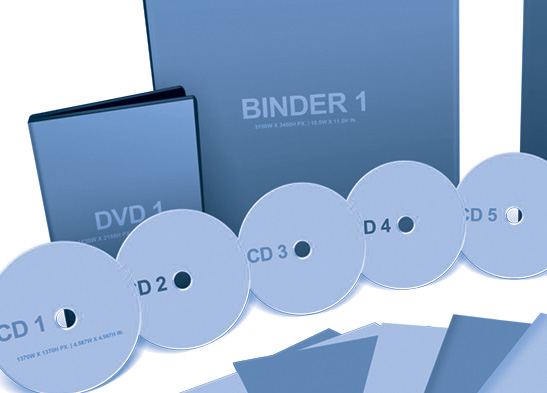
Check with your manufacturer (more on this in a few) to see the maximum amounts of storage available on certain mediums. With our recent DVD we were limited to 2 hours of footage and a certain amount of storage for those 2Gigs.

Many CD’s if you are doing an audio program can hold around 72 minutes. This needs to be included in your planning stage as we had to cut out a few chapters and even an upsell video in order for our information to be put onto the product.

Manufacturing

There are multiple options to choose from when you are looking for a company to produce your physical products. We have looked into a multitude of options working with musicians, entrepreneurs and with our own products and here are some items and tips that might be quite valuable to you.

Custom MP3 PlayersIf you have the means, think outside of the CD or DVD. There are other media options. Custom MP3 players with your branding and logo are a big hit and you can often find 1 Gig iPod Nano look alikes with your branding and material pre-loaded for less than $5/ea. These products have a high perceived value and can be sold in your store for $20-100 or over greater depending on the material.



The Chinese still have great prices and great turnaround, but be prepared to buy in bulk. (This is not an option for our company as we want low to no inventory and I’ll share some more of how we do this below.) For some musicians we have been able to source CD cases that look like Nintendo Cartridges, giant Hulk hands with custom download links on them and even recording devices that act as magnets we have used for show promotion.

Always get samples. Yes, this delays the timing of your launch, but by scheduling demos and samples you ensure that your CUSTOMERS, the most important part of this equation, gets the highest quality product that you can offer.

All of these options are great, but my favorite model of them all is the…

Print And Ship Model

The print on demand industry has been around for some time now with t-shirt companies like Zazzle and others that will print your picture on a coffee mug to send to your mom on Mother’s Day. But only recently has the industry become reliable in the same fashion as a fulfillment center, and at a cost where us online entrepreneurs can still turn a nice profit.

If you are looking to produce CD’s or an audio series (like a “best of your Podcast” physical product) I would recommend looking into a California start-up called Audiolife. They are one of my favorite companies with great customer support, above high-quality printing and timely shipping of the products.

Even better for you is that they can act as your storefront via a widget or custom code, collect your money via PayPal, redirect their portion and then send you your profits. All of that happens while they print your product and ship it out. Meaning you never have to touch it, see it or package it. That is truly collecting money on autopilot if there is such a thing.

My other big source is what we are currently using for our new DVD, and that is Kunaki. This has been an Internet Marketing trade secret for some time now as they can print and ship a DVD for about $5. Yes, you read that right, printing and shipping for $5. And for you cool kids getting a few orders a day, you can just import your order list into Kunaki, pay for the DVD’s and they will print and ship them right to your customers.

Thus solving the issues of spending time with inventory and shipping and still covering your margins to run a highly successful virtual business.

Boo-yah!

Will You Go Physical?

There are hundreds and thousands of other ways to source and build physical products, but these are some of the best we have found and the ones that have been working for us. I’d love to hear what your thoughts are and if you have any tips or resources for people looking to create physical products and not create inventory or stress into the freedom of our business.

Share your thoughts below.

Greg Rollett comes to us from over at Radically Ambitious, an Internet Marketing and Lifestyle Creation Company. Want to learn more about physical products or just chat, find Greg on Twitter as well.

How to Get Your Virtual Entrepreneur Juices Flowing More Than Ever Before!

https://www.youtube.com/watch?v=fTBFf-hhFDw

Today we have the beginning of a 4-part video series with fellow virtual entrepreneur and business owner, Dan Andrews. You might already be familiar with Dan, as he also contributes pretty regularly to this blog, too. As someone that produced over $800,000 in revenue – virtually – for his businesses last year, he has a few things to stand up and take notice of.

Dan is a full-blown virtual entrepreneur, lives in the Philippines for the majority of the year and we’ve hooked up on various occasions. What usually ensues is a fantastic entrepreneurial breeding ground of ideas, lessons, tips and tricks – and this video series is no different, I can tell you.

Be sure to watch right the way through to the end of the video for some out-takes, including our Soprano impressions – they are worth the price of admission alone!

In this first video we discuss being a virtual entrepreneur and business owner, subject points such as:

  • Building your online brand.
  • Launching a product / service to a small and large audience.
  • The differences between old school and ‘new school’ entrepreneurship.
  • Why you need to really care about your ‘business world’.
  • How your processes need to be put in place ASAP.
  • Why ‘lifestyle design’ has become so much more than just a ‘search term’.
  • Tons more stuff…!

Dan does something to me, personally. When I’m talking with Dan my own virtual entrepreneur juices get flowing very, very quickly. To be able to get on the same level with someone like that does great things for your thought process. We also seem to have a LOT of fun, too.

The second part of this series will go live next Monday, so be sure to subscribe NOW, via either RSS, or by downloading my free eBook, to make sure you don’t miss out on any of the goodies that are coming up!

Until then, if you have any comment, or questions in regards to virtual entrepreneurship, feel free to drop them to us below. And if you’re feeling ‘sweet’, then please Retweet, too! 🙂

Reality Check: Are You Achieving Your Goals…?!!

Reality Check

Every month I set myself a goal. Sometimes its ‘bigger’ than others…

Sign a new client with a minimum 10-employee requirement, create a new policy to promote and encourage more reading in the workplace, gain another 200 RSS subscribers, listen to more inspiring podcasts, spend more time developing business ideas, take the family to a resort for 3-days of relaxation… you get it.

I’ve said it before many, many times. Goals are the cornerstone of entrepreneurial success. If you are spending time on any project, any idea, any business model, without putting goals in place first – then, you are literally walking through the jungle at night without a flashlight. You’re going to get nowhere!

Are You Being Realistic ..?

Here’s the thing… No matter what goal I set for myself, I always, ALWAYS make sure of two very simple things. They are as follows:

  • ONE: That it’s achievable. Setting a goal that is so outlandish that I’ll never hit it, is simply pointless. As well as being extremely time consuming.
  • TWO: I achieve it.

Sometimes I feel the benefits of hitting my goals immediately. Sometimes its something that will ‘hit home’ later on. But, I always make sure that I hit my goals. It’s what keeps me going as a business owner, husband and father.

How Are You Doing…?

What goals did you set in place for yourself this month? We’re now half way through the current month. Have you looked at where you are with that goal? Anything more you can do RIGHT NOW to be sure you hit the goal by the end, or before the end of the month..?

Let us all know below in the comments section how you’ve been doing. Give details – the juicer, the better! What was your goal this month – and how you’re doing with it..!

Living the Virtual Business Lifestyle – First Mini-Vacation of 2011 (Singapore!)

https://www.youtube.com/watch?v=6j–PfdLsGU

One of the reasons behind wanting to become a Virtual CEO was to be able to do a little more travel. Don’t get me wrong, I’ve seen enough of the world – a lot more than most people will in their entire lifetime. However, here’s the thing – I simply LOVE to travel.

The older I get (you can see I have no hair!), the more I want to get out there and experience new things, meet new people and ‘get lost’, as the National Geographic Channel puts it! So, this year has begun, and in mid-March I got to go on the first mini-vacay of the year with my wife – to Singapore.

Losing My Singapore Virginity!

I’ve lived in Asia for ten years and I have never been there before. Insane, I know. So, a 4-day trip was planned, we left the little one with his grandparents and we were off. Above you can see a 5-min video diary of the trip, complete with a running commentary of the places we checked out (first time I’ve done this, let me know what you think!), a little humor, and the whole thing was shot entirely on my iPhone4, just to see how it came out.

I was pleasantly surprised on the quality. All edited in iMovie, too!

The Place Was Awesome!

I’m not going to go into a huge, long-winded review of Singapore and what its all about, but what I can say is that I was really impressed. The way the government there has set everything is with nothing but long-term in mind.

The people are very friendly, helpful and respectful towards each other. And the corporate way of life is great. It actually reminded me of a cross between Hong Kong and London – everyone rushing around with their suits and corporate attire, with not a minute to spend… Except for the fact that it was in nicer weather than London!

The streets – wide. The sidewalks – clean. The food – to die for. The climate – perfect. The cost – er, well, I’m a little spoilt, living in the Philippines, so it was costly – but, it was worth it nonetheless.

Next Up – The Good Old U S of A!

As you guys read this, I am currently in the US. It’s not entirely for pleasure, but, I’m making sure that we have plenty of fun here in San Francisco and Boston, too! It’s playoff time… Go Celtics!!! I’ll no doubt put together another, similar video for you of this trip.

Come to think of it… Let me ask – do you enjoy these videos? If not, why not, and if yes – what do you like about them the most…? Anything you’d like to see…? Let me know in the comments below.

How to Setup a Super-Mobile Infrastructure!

Super Mobility

This is a Guest Post by Tony Ruiz.

What is mobility? By definition, mobility is the ability to move or be moved freely and easily. With the internet, mobility has allowed individuals to take their work anywhere. It’s ultimately what the virtual business lifestyle is all about, packing up within 4 hours notice and knowing you have access to your work as long as a secure wi-fi connection is nearby.

Becoming mobile is nothing to be intimated by, it’s actually fairly simple, especially with the technology we have access too. The sooner you can set yourself up for mobility the better. All it takes is having the right mindset and having the correct infrastructure in place. Most of the tools I’m going mention in this article have already been discussed within the VBL community but it’s one thing to know what tools to use and another thing to know how to actually implement them.

I’m going to show you some of the best tools online to use, why you should use them, and how to combined them together to work seamlessly. Sounds good? Great but first lets discuss…the mindset.

The Mobile Mindset

Your life does not get better by chance, it gets better by change. -Jim Rohn

Lets start with this, to become a mobile entrepreneur you must change your mindset to think in a way certain way. All cloud based tools are now your best friend. Ask yourself this question whenever using an application, saving a file, or working on a project. “Can I access this from a library computer?” In other words, can you access your work files from a computer you don’t own?

If not, you need to think about how you can. If you use thumb-drives to save and access documents use them only to backup documents now. You’ll discover in this post why you no longer need to depend on thumb-drives. I can’t count how many time I lost a thumb-drive that was attached to my keys. I learned the hard way and if I ever lost one now, it won’t be the end of the world.

Just remember, if it’s in the cloud (can be accessed online) it’s your friend. Everything else is used for back-up purposes.

The Tools (aka Weapons of Mobility)

Assuming you already own a laptop and perhaps a smartphone or tablet I’m going to be talking about web-bassed applications you’ll be able to use to help enhance your mobile lifestyle. Keep in mind, you can use any tools you come across – and please leave some of your favorite tools in the comments below if you don’t see them here. I’m simply going to show you the tools I would recommend to anyone making the switch to super-mobility. The idea is to understand how you can create your own super-mobile infrastructure by seeing how I setup mine. Feel free to plug and play, however the framework still applies.

The Browser

Lets start with your Internet browser. I prefer using the Firefox browser by default, however the Google Chrome browser is getting fairly popular now and some prefer the Safari browser. Use one of the three browsers mentioned above, you’ll make your like a whole lot easier. When it comes to using a browser you want to make sure you have one very important plugin installed – it’s called Delicious. Delicious is a popular social bookmarking tool that allows you to save your bookmarks in the cloud (online). Before installing the plugin make sure you have an account by signing up here.

To install the Delicious plugin for the Firefox browser click here. To install the Delicious plugin for the Safari browser click here. To install the Delicious plugin for the Chrome browser click here.

Every website I bookmark for future reference is bookmarked through delicious. Since it is a social bookmarking website all your bookmarks are available to the public by default. I just mark my bookmarks private since most my bookmarks are for my personal reference. I also export my delicious bookmarks time to time so I have a backup file.

Having your bookmarks on delicious (marked as private) acts just as if you would bookmark items on your browser. Instead now you can access bookmarked sites anywhere. It’s a wonderful thing!

Practice getting in the habit of bookmarking websites via delicious instead of your browsers bookmarking folders.

NOTE: Firefox just came out with the Firefox 4 update and the delicious plugin is not fully compatible with Firefox 4 yet. I’m personally not updating to Firefox 4 till the delicious becomes compatible.

Saving Files and Documents in the Cloud

It is no secret that Dropbox is Chris’s favorite web-based application. Dropbox is my personal favorite when it comes to saving files and documents online too. For those of you that don’t know what Dropbox is, it’s a website that syncs your files online and to any computer connected to your account (it’s free to get stated). To learn more watch the demo video here.

I have my iMac, MacBook, and iPhone connected to my Dropbox account (Yes, you can also connect a PC to your Dropbox account).

When you signup for Dropbox they start you off with 2 GB of free space and they also give you the opportunity to earn more space without upgrading to their premium packages.

BONUS: You can earn additional space by clicking the “Get Started” tab in your dropbox account, referring college friends with an .edu email, referring friends through a referral link, and by connecting to your social media accounts. I have 5 GB+ just by using these methods. But if you want to get serious just upgrade to a premium package.

The whole purpose of using Dropbox is getting in the mindset of saving your files online. For example I wrote this article both on my iMac and MacBook because I have Dropbox folders connected to each of them, if I wanted too I could have accessed the file on a computer thats not connected with my Dropbox account by going to Dropbox.com, logging into my account, and clicking on my file through their simple to use interface.

All in all applications like Dropbox give you true mobility, so get in the habit of saving all you projects via Dropbox to give you full access of your work files.

Goodbye Notebook, Hello Evernote (Plus a Killer Outsourcing Tip)

Evernote is a fantastic web-based application that I use for taking notes. I take notes with Evernote on my iPhone and access my notes anywhere on my computer.

A great feature built into Evernote is “Clipping.” You can use clipping to take screenshots of an entire page or even screenshots of a specific part of a page, which is one of my favorite features. Say you stumble on a website that has a feature design you would like to implement for one of your projects one day. Just simply clip the specific image and use it for reference in the future. You can also send it to your designer or developer so they have a clear idea of what you want.

Use Evernote for most of your note taking, but try not to forget that a good old fashion pen and paper can still be used time to time.

Google Applications

Gmail: I think it’s safe to say that Gmail is email on steroids, I mean it’s an email client that has a chat function built into it. The great thing about gmail is it gives you the ability to handle multiple emails within one account (even non gmail accounts).

Google Calender: I like to keep my Google calender as my browser’s home screen. I literally set all my important events and deadlines on my Google calender to remind me what is due or when a deadline is approaching. Google calender even syncs with the iPhone and selected Smartphones which is great when you setup reminders.

Here’s a solid overview of the entire Infrastructure. Download PDF Version.

You’re Now Mobile

Congratulations! You have now set yourself up for super-mobility. It only get better from here. If you at least followed the framework you’ll notice new gears shifting in your head. Also, always be thinking about how you can access your business online by leveraging web-based applications. You never know when you’ll need to access your work on the go.

Tony Ruiz is the founder of VentureMixx, an exclusive newsletter focused on business development and personal growth strategies. You can learn more about him by visiting his site and subscribing.

  • PREVIOUS
  • 1
  • …
  • 22
  • 23
  • 24
  • 25
  • 26
  • …
  • 36
  • NEXT

Free Ebook

Personal Branding Roadmap

You’re just 10 steps away from your own powerful personal brand business!

DOWNLOAD FOR FREE NOW

Motivational Coach

Motivational

Coach

WORK WITH ME

Book Chris to Speak

BOOK CHRIS TO SPEAK

Visit Youpreneur

The Business of You!

YOUPRENEUR

VISIT YOUPRENEUR.COM

Footer Logo


Chris is a serial entrepreneur and highly regarded as THE authority on the subject of building a profitable personal brand business. 

MUST SEE

  • Round Table
  • Resources
  • Blog

ABOUT CHRIS

  • Chris’ Journey
  • Read Chris’ Books
  • Book Chris to Speak

YOUPRENEUR®

  • Youpreneur Podcast
  • Youpreneur Academy
  • Youpreneur Incubator

LEGAL INFO

  • Terms of Use
  • Privacy Policy
  • Contact

Social Menu

  • © Chris Ducker & 4C Media Limited
  • All Rights Reserved

Privacy Policy

Who are we?

Our website address is: https://chrisducker.com, a site owned and operated by Chris Ducker & 4C Media Limited.

What personal data we collect and why we collect it

Comments – When visitors leave comments on the site we collect the data shown in the comments form, and also the visitor’s IP address and browser user agent string to help spam detection. An anonymized string created from your email address (also called a hash) may be provided to the Gravatar service to see if you are using it. The Gravatar service privacy policy is available here: https://automattic.com/privacy/. After approval of your comment, your profile picture is visible to the public in the context of your comment.

Media – If you upload images to the website, you should avoid uploading images with embedded location data (EXIF GPS) included. Visitors to the website can download and extract any location data from images on the website.

Cookies

If you leave a comment on our site you may opt-in to saving your name, email address and website in cookies. These are for your convenience so that you do not have to fill in your details again when you leave another comment. These cookies will last for one year.

If you visit our login page, we will set a temporary cookie to determine if your browser accepts cookies. This cookie contains no personal data and is discarded when you close your browser.

When you log in, we will also set up several cookies to save your login information and your screen display choices. Login cookies last for two days, and screen options cookies last for a year. If you select “Remember Me”, your login will persist for two weeks. If you log out of your account, the login cookies will be removed.

If you edit or publish an article, an additional cookie will be saved in your browser. This cookie includes no personal data and simply indicates the post ID of the article you just edited. It expires after 1 day.

Embedded content from other websites

Articles on this site may include embedded content (e.g. videos, images, articles, etc.). Embedded content from other websites behaves in the exact same way as if the visitor has visited the other website.

These websites may collect data about you, use cookies, embed additional third-party tracking, and monitor your interaction with that embedded content, including tracking your interaction with the embedded content if you have an account and are logged in to that website.

Analytics

How long we retain your data – If you leave a comment, the comment and its metadata are retained indefinitely. This is so we can recognize and approve any follow-up comments automatically instead of holding them in a moderation queue.

For users that register on our website (if any), we also store the personal information they provide in their user profile. All users can see, edit, or delete their personal information at any time (except they cannot change their username). Website administrators can also see and edit that information.

What rights you have over your data – If you have an account on this site, or have left comments, you can request to receive an exported file of the personal data we hold about you, including any data you have provided to us. You can also request that we erase any personal data we hold about you. This does not include any data we are obliged to keep for administrative, legal, or security purposes.

Where we send your data – Visitor comments may be checked through an automated spam detection service.